Automation & AI Architect
Spain
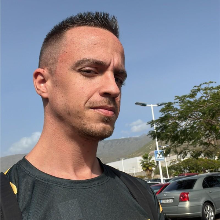
Microsoft MVP Power Apps | Power Platform Solutions Architect at Prodware
Father of a princess, husband of a queen. Since 2010 working in the .NET world, designing and building solutions based on Azure. Since 2020 more focused more on the Power Platform and Artificial Intelligence world. Love football, play guitar, listen music and share time with my family and friends. One of my favorites hobbies is to share knowledge with the tech community, assist to events to speak and to learn from other community members. Also I like a lot to help young people that is giving its first steps in this world to get used to it, guide them through this walking of knowledge and see how them grow and become great professionals.
Meet David next at
Power Platform French Summit 2026
08/12/2026
In this session, we'll learn how to create a hotel reservation assistant using Copilot Studio: - We will use copilot studio actions to connect an external hotel reservation API in order to integrate our assistant with the Hotel Reservation System that allows us to get hotels availability in an area or get availability of a specific hotel. - After hotel selection, we can get different rates for rooms and meals. Finally, after selecting room and meal, we can confirm our reservation adding our personal data. - We can then consult our own reservations using natural language. We will deep dive into the security concerns that involve Copilot Studio and external API, guaranteeing that users can only get their own reservations.
Read moreIn this session, we'll learn how to integrate Copilot Studio with Azure Services like Azure AI Foundry and Azure AI Search. We will create a multi-agent using Copilot Studio and Azure AI Foundry with multiple capabilities, mixing pro-code and low-code worlds in a fusion team integration. - We'll show how to integrate Copilot Studio with Dataverse using Power Automate flows through actions, leveraging the AI Orchestrator the power to decide when to use them. We'll implement a complete Hotel Reservation process to create a Hotel Reservation Assistant chatbot. - We will show how to compose an Azure AI Search index through an agent that will do a webscrapping of web content using AI parsing to extract destination activities description, enhance them using Azure AI Foundry and fill the Azure AI Search Voctor Index on the fly. We'll integrate this index with the Hotel Reservation Assistant chatbot using Azure AI Search Knowledge Sources. - We'll touch Dynamic Chaining concept by implementing a Nearby Restaurants Finder using Custom Connectors that integrates with Geocoding and Places API. This will allow us the orchestration engine to find places coordinates and then use them to find nearby restaurants. - We'll also add Speech-to-text and Text-to-speech capabilities to the assistant, using DirectLine integration to expose the chatbot in a website, then use MediaRecorder Javascript APIs to capture user voice and play chatbot messages. Additionally, we use Azure AI Foundry with speak and speech features to convert text to audio and audio to text, creating a full voice experience for the chatbot. - Finally, we integrate some useful travel APIs like flight information, weather, touristic destination information, and so on. All this will be story-telled by a Travel Assistant wrapper, that will allow us to connect the different pieces of technology in a centralized system.
Read moreWHAT A lot of Power Platform teams either test nothing, or they test manually and call it done. Another group has Test Studio tests that can't leave the browser. A smaller group might have automated pipelines, but their tests cover one screen and break when someone renames a control. Very few have a clear picture of where they actually stand or what the next step looks like. To make that journey navigable for everyone in the room, the session introduces the Testing Readiness Map - a practical scale across three dimensions: how tests are authored, how they are executed, and what they actually cover. Mapped across five levels from Dark (no testing) to Intelligent (AI-assisted, pipeline-integrated, across all your canvas and model-driven apps), the map gives teams a diagnostic lens they can take back to their organisation. The tool that makes the upper levels of that journey reachable is the Playwright MCP. It gives AI coding assistants direct access to a live running canvas or model-driven app, so instead of guessing what controls exist or how to find them, the AI inspects what is actually on screen and generates tests from what it finds. This session documents what that workflow looks like in practice. WHY Testing is one of the most consistently skipped disciplines in Power Platform delivery. The authoring cost has historically been high, the tooling too fragile, and there has been no shared language for teams to describe where they are or what good looks like. "Just write tests" is not actionable advice without a map. Power Platform apps present specific challenges that make test authoring harder than it looks. Controls have app-specific identifiers, galleries nest multiple elements where the right selector depends on the exact rendered structure, and Dataverse-backed views can take a long time to populate. Writing tests against this reality has always meant deep technical knowledge, fragile selectors, and a risk that code breaks the next time a control is renamed. Test Engine tried to solve this with a low-code abstraction layer and was deprecated in April 2026 after near-zero adoption. The community now needs a different answer - and the Playwright MCP is what Microsoft is pointing toward. The premise is compelling: connect an AI assistant to a session, let it navigate your actual app, read what is really on screen, and generate tests grounded in what it finds rather than what it assumes. Whether that holds up across the specific challenges of Power Platform apps is exactly what this session investigates. It doesn't come with a polished success story - it comes with findings from hands-on preparation and an honest picture of where this approach moves the needle today. HOW The session navigates the Testing Readiness Map level by level, using a consistent demo scenario and two AI-assisted authoring approaches for Power Platform. Where you are on the map. The audience locates their team on the Testing Readiness Map across the given dimensions. This sets the personal stake for everything that follows. The recording path. Playwright's built-in code recorder captures real browser interactions as test code. We hand that recording to an AI assistant and ask it to rewrite the output into clean, maintainable tests following Power Platform toolkit conventions. We show what it produces and what still needs a human eye. The MCP path. We connect the Playwright MCP server to the running canvas app and describe a test scenario in plain English. The AI navigates the live app, reads what is actually on screen, and generates tests grounded in the real structure of the app not a guess. We show the full authoring loop: the prompt, what the AI produced, what required correction, and the final result. The honest version, not the demo reel version. Teaching the AI your conventions. Without guidance, AI assistants produce generic code that ignores your project's patterns. We show how a simple custom instructions file in the repository changes what the AI generates - consistently, without having to explain the same things in every session. From local to pipeline. The generated and reviewed tests don't stay on a local machine. We wire the test suite into a workflow, authenticate against a Power Platform environment, and show what a passing and a failing pipeline run looks like Licensing and costs: We’ll touch the costs and licensing points, explaining the different approaches (locally versus pipelines) that we may take when designing our testing plans and what the pricing looks like for each of them, The verdict. A direct, level-by-level answer based on preparation findings: where the Playwright MCP approach is solid for Power Platform today, where it is promising but rough, and where to wait before committing team time to it. TAKEAWAYS By the end of this session, attendees will be able to: • Place their team on the Testing Readiness Map and identify the single most valuable next step from where they are today • Understand what the Playwright MCP server does for Power Platform test authoring and why it addresses the specific challenges that have always made Power Platform testing hard to start • Know the two AI-assisted authoring paths for Power Platform - the recording path and the live inspection path - and when each one is the right starting point • Understand why a custom instructions file matters and what changes about the quality and consistency of AI-generated tests • Understand what wiring a Playwright test-suite into a pipeline involves for Power Platform and what it takes to get there from a set of locally generated tests • Learning to calculate the costs that each solution may have depending on the resources that you plug into it. • Leave with an honest, experience-based verdict on whether the Playwright MCP approach is the right investment for their team right now and a concrete next step matched to where they actually are.
Read moreDavid can deliver sessions in
Connect with David