Sr. Data Engineer/Solution Architect
Canada
Session Abstract
What? Most people build agents in Microsoft Copilot Studio using the web interface, but developers often need more control than a low-code UI can provide. In this session, we’ll explore how the Copilot Studio CLI together with Visual Studio Code allows you to create and manage agents using code. This opens the door to a more developer-friendly workflow where agents can be built, updated, and maintained just like any other software project. Why? As organizations start deploying agents at scale, managing them through the UI alone can become difficult. Teams want version control, repeatable deployments, and the ability to include agents in their CI/CD pipelines. A code-based approach helps bring Copilot Studio development closer to standard software engineering practices while still benefiting from the platform’s capabilities. How? In this session, we’ll walk through a practical demo where we build an agent from scratch using the CLI inside VS Code. Along the way, we’ll update prompts and capabilities programmatically, manage configurations across environments, and connect the agent with Microsoft Power Automate and Microsoft Dataverse to enable real-world workflows. Key Takeaways -Learn how developers can use CLI and VS Code to build and manage Copilot Studio agents -See how a code-first workflow makes it easier to version, update, and deploy agents -Understand how agents can fit into CI/CD pipelines and enterprise deployment processes -Discover practical ways to connect agents with Power Automate and Dataverse -Leave with ideas for bringing developer practices into Copilot Studio projects
Note to event organizers
I am a MCT and bring hands-on experience in building AI agents using tools like Microsoft Copilot Studio and Azure AI Foundry. I’ve previously delivered session on topic in this space and is listed on Sessionize. I’m passionate about sharing practical insights and contributing to the community through real-world applications of AI.
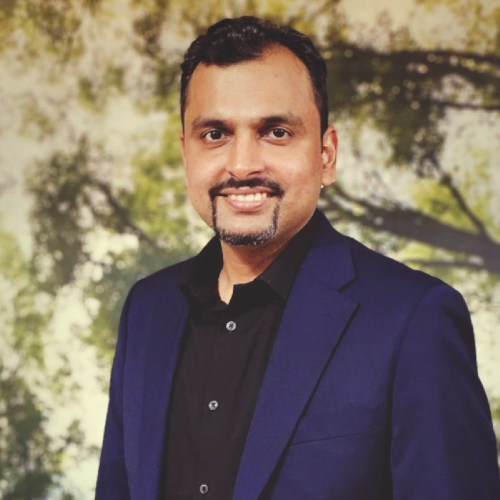
Mitul Tailor
I am a Microsoft Certified Trainer (MCT) and Senior Data & AI Engineer at Long View Systems, specializing in Azure services, data engineering, and AI-driven solutions. I work extensively with Azure Data Factory, Microsoft Fabric, Copilot Studio, and enterprise data migration, delivering scalable and efficient production-grade data platforms. I hold a Post Graduate Certificate in Generative AI, a PG Diploma in ML & AI, and a Bachelor’s degree in Computer Science. I am DP-600 and AI-102 certified, with strong expertise in Microsoft Azure data and AI solutions. I also have hands-on experience with Retrieval-Augmented Generation (RAG) and Azure AI Foundry, applying these technologies to build intelligent automation and insight-driven systems. Recognized by clients for clear, precise solution delivery and technical communication, I am passionate about automation, AI, and robotics. Outside of work, I enjoy traveling and have a strong interest in cars.