Microsoft MVP Copilot & SharePoint
Belgium
Productivity Geek
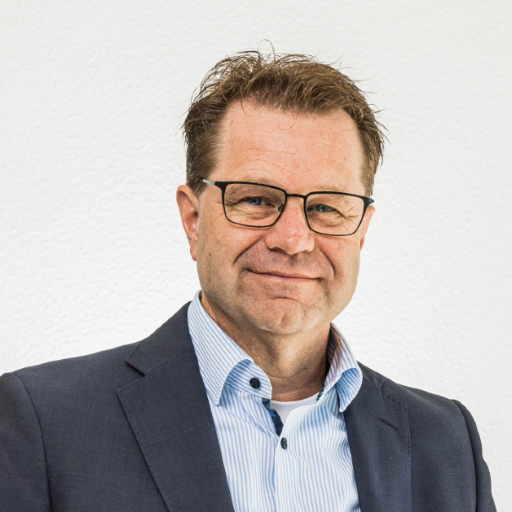
Pieter is the teamlead of the Business Productivity team at ACA IT-Solutions. He has been working with SharePoint solutions from 2007. All this time his focus has been on getting companies on board with the ever changing platform, increase their productivity whilst maintaining a secure and safe environment. He has proficient knowledge of creating Intranets, building a great search environment, automating processes using both the Power Platform and Nintex. One of the most important questions he asks his customer is: "What is your optimal outcome?". He then will think of and build the best suitable solution. Implementing these solutions require adoption. Therefore Pieter also has certified adoption skills in his backpocket. Pieter is a Microsoft MVP for Copilot and SharePoint and has been speaking at customer events and user groups.
In this session we will build an intranet that servers as your start of the day. It'll be the starting point and finish of your work(day). What components are important for an Intranet? We know we want to share news and knowledge and bring people together. But let's make sure this is where we start our documents, start collaborating and finding answers. Let's divide our content in "My files, Our Files and Their files", let these come together in this one great place without mixing them up. To do this we'll use Communication sites, Teamsites and OneDrive. Topics that I'll discuss are: OOB webparts, Viva Connections, Navigation, Metadata, Search, Hub sites, Site designs, and more.
Read moreEver had a moment where you thought: "This is interesting, I should remember that for my next project"? I have and that is when I make a quick note or snippet in Microsoft Loop so I'll never forget it. Also, I like to maintain knowledge bases to share and collaborate with my team. In this session I will take you along a journey in Loop and touch on all the greatness it does. Using it as you personal second brain or collaborating with a team to create an internal Wiki, making sure no content is created twice but instead reused in several other places or apps.
Read moreWhen organisations migrate from a traditional file server to SharePoint, one question comes up almost every time: "Will I still be able to find my documents?" The answer is yes — and then some. But a great search experience in Microsoft 365 doesn't happen by accident. It requires a deliberate strategy, the right tools, and a clear understanding of what each tool is actually good for. This demo-rich session takes you on a practical journey through the full SharePoint search landscape. We start with maximising Microsoft Search out of the box — including Bookmarks, Acronyms, and Search Analytics — before moving to PnP Modern Search for tailored, metadata-driven discovery portals that dramatically improve user adoption. We finish with an honest look at what Copilot genuinely adds to content discovery: the shift from recall ("show me files containing this word") to understanding ("explain this policy and highlight what's changed"). You'll walk away with a clear decision framework for choosing between these three approaches — and the practical knowledge to implement each one. You will leave this session having: Discovered how Microsoft Search works out of the box and how Bookmarks, Acronyms, and Search Analytics can make it significantly smarter without any custom development Learned how PnP Modern Search enables tailored discovery experiences — from Project Finders to Knowledge Hubs — using JSON templates, Adaptive Cards, and metadata-driven filters Understood the difference between search for recall and Copilot for understanding, and where each approach delivers the most value Uncovered a practical decision framework: when to use Microsoft Search, when to invest in PnP Modern Search, and when Copilot is the right answer Out of scope: This session will not cover Microsoft Search connectors to external data sources, enterprise search architecture, or Copilot Studio development. Information architecture and governance are touched on briefly as context but are not the focus of this session. Assumed knowledge: You should be familiar with SharePoint Online as a platform — ideally with some experience in a migration or intranet project. No prior knowledge of PnP Modern Search or Copilot is required. Audience: IT Professionals, Consultants, Digital Workplace Specialists, End Users | Level: 200
Read moreAre you planning to migrate from a file server to the cloud and looking for the best strategies to ensure a smooth transition? Join my session where we will explore the intricacies of cloud migration. Migration encompasses more than just the tools. While tools like Microsoft's Migration Manager, ShareGate, and AvePoint are essential, the process around, and user adoption during migration are even more critical. In this session, I will discuss various strategies for approaching migration and how to determine the best approach for your organization. We will also cover common pitfalls and how to avoid them. I have developed a comprehensive 7-step project plan that ensures your migration will be smooth, quick, and well-controlled. Key Takeaways: - Gain insights into best practices for cloud migration and change management - Learn how to effectively use tools like Microsoft Migration, ShareGate, and AvePoint - Understand the critical roles and responsibilities in the migration process - Discover techniques to engage and align your team for successful adoption By attending this session, you will be equipped with the knowledge and tools to facilitate a seamless transition to the cloud, maintain control over the progress, and achieve successful outcomes. Don't miss out on this opportunity to enhance your migration strategy and drive successful adoption in your organization! Join me to make your cloud migration journey a success!
Read more70 percent of digital transformation projects fail — not because of technology, but because of people. A SharePoint migration can be technically flawless, a Copilot rollout perfectly deployed, and still fall apart if users don't understand why things are changing, don't want to change, or simply don't know how. Adoption isn't a training email sent on go-live day. It's a structured discipline that needs to be built into your project from day one. This session introduces the ADKAR model — Awareness, Desire, Knowledge, Ability, Reinforcement — as a practical framework for driving adoption in SharePoint migrations and new feature rollouts, including AI and Copilot. We'll walk through each stage with concrete examples: how to build awareness before a migration, how to create genuine desire rather than compliance, how to deliver knowledge that actually sticks, how to enable ability through champion networks and sandbox environments, and how to reinforce change so that new behaviours become habits. You'll leave with a clear, actionable model you can apply to your next project — whether that's a file server migration, a Teams rollout, or an organisation-wide Copilot deployment. You will leave this session having: Discovered why most technology rollouts fail and what the research tells us about the real causes of low adoption Learned how to apply each stage of the ADKAR model to SharePoint migrations and AI feature rollouts with concrete, real-world examples Understood how to build an adoption champion programme that creates peer-driven momentum rather than top-down mandates Uncovered practical techniques for measuring adoption progress and reinforcing new behaviours over the long term Out of scope: This session will not cover technical migration tooling, licensing, or governance frameworks. We will not go deep into specific Microsoft Viva or Microsoft 365 learning platforms, though these are briefly mentioned as reinforcement tools. Assumed knowledge: No specific technical knowledge is required. This session is relevant for anyone involved in planning or executing a SharePoint migration or Microsoft 365 feature rollout — from project managers and IT leads to HR business partners and change managers. Audience: IT Professionals, Consultants, Business Decision Makers | Level: 200
Read morePieter can deliver sessions in
Connect with Pieter