Microsoft 365 Conultant/Trainer
United Kingdom
Session Abstract
Rolling out Microsoft 365 Copilot isn’t just about turning on a licence. Organisations need a clear, structured approach that ensures Copilot works, works safely, and works in a way that aligns with business goals. Yet this requires admins to operate across traditional scopes and takes in Purview, Teams, SharePoint, Entra and more. This session walks through our Copilot Admin’s Checklist, separating tasks into Essential (required for Copilot to function), Desirable (configurations that secure and govern data used by Copilot), and Optional (enhancements that improve control, monitoring, and adoption). We'll demystify the process through practical examples drawn from real‑world deployments. Attendees will leave with a validated readiness blueprint, a security‑first mindset for AI, and a clear route to operational excellence. No guesswork needed, just a dependable checklist supporting a confident Copilot rollout. This session is a Level 200 session however configuring and implementing features discussed in this session will need a deeper understanding of those features.
Sara Fennah
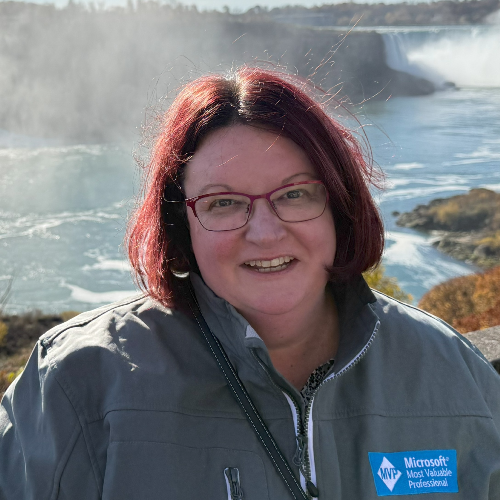
Sara has over 25 years’ experience, has been a Microsoft Certified Trainer (MCT) for over 15 years and is also a MCT Community Lead and Microsoft MVP (Most Valuable Professional) for Microsoft 365. Sara has been working with Microsoft 365 since the preview in April 2011 and holds over 50 Microsoft Certifications. Sara’s company still use the same Microsoft 365 Tenant opened back in 2011. As a trainer Sara’s professional aim is to help make technology more accessible by increasing knowledge and decreasing fear. In her own words “I love helping others advance their own skills and use of technology, whilst challenging myself to advance my own skills and expertise.” Sara delivers training across Microsoft 365 from beginner to admin level, specialising in productivity, data security, and compliance. She is a recognised expert in Microsoft 365 Copilot, having authored multiple courses and supported organisations with adoption strategies and governance planning.
Sara can deliver sessions in
Connect with Sara