Founder
Sweden

I love learning new things and solving old problems. I started my days as an admin back in 1990 and have had many roles since. I became a full time Microsoft Certified Trainer in 1999. Today I work as an independent consultant specializing in Microsoft 365 productivity. Microsoft 365 MVP. I produce a bi-weekly podcast in Swedish called Office 365-podden.
Current Sessions Delivered by Mats
Copilot in SharePoint analyses document libraries and suggests metadata columns for each file. But it creates columns per library, it doesn't set your taxonomy, build site columns, or create content types. Without a prepared architecture, the AI-generated columns could reinforce fragmentation rather than resolve it. The session shows how this works through live demos. You'll see the difference between metadata you can use and metadata that just adds more to clean up. We walk through the architecture decisions you have to make first, what works and what doesn't, and where you must step in manually even when the technology works as intended. You leave knowing what's your job, what AI can take off your hands, and how to prioritise when you can't clean up the whole tenant at once.
Read moreYou have probably noticed that AI tools work better when you give them context. Tell the AI what department you are in, what the document is for, who the audience is, and suddenly the output is actually useful. The problem is that you have to explain this every single time. For a site owner managing a team intranet, a project hub, or a departmental library, that repetition adds up fast and defeats the purpose. Skills files change this dynamic. A Skills file is a set of instructions you write once, in plain text, that the AI loads automatically when it is relevant. You define your terminology, your document conventions, your approval steps, your tone. You can even provide examples of what it should look like. No advanced prompting required. Microsoft has brought this capability directly into SharePoint Online as part of the AI in SharePoint rollout, meaning site owners are able to define how the AI behaves within their part of the tenant. This session explains what Skills files are, what they can and cannot do, and how a site owner or business analyst can write one without involving a developer. We walk through real examples: a Skills file for an HR document library, one for a project site with specific naming conventions, and one that helps the AI understand a business process well enough to guide users through it. We also cover the practical limits: What belongs in a Skills file versus what requires an admin or a developer, and how to avoid building something that becomes a maintenance headache six months later. You will leave knowing whether Skills files are the right tool for your situation, what to put in one, and how to get started building your own custom skills.
Read moreMats can deliver sessions in
Mats speaks about
Connect with Mats

A Look Back at Past Speaking Engagements

Collabdays Bletchley-Park-2026
Skills files in SharePoint: define how AI behaves on your site
23/09/2026
The National Museum of Computing
Milton Keynes, United Kingdom
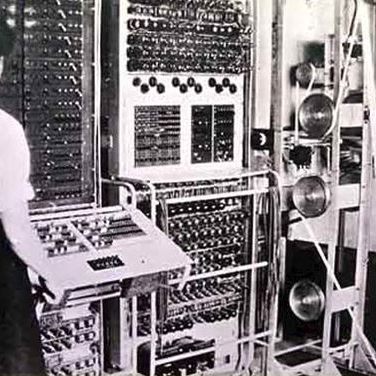
CollabDays Bletchley Park 2025
Mastering Content Types in SharePoint Online: Design, Creation, and Practical Use
24/09/2025
National Museum Of Computing
Milton Keynes, United Kingdom