.
Netherlands

M365 MVP | AI-Driven Workflows for Modern Teams
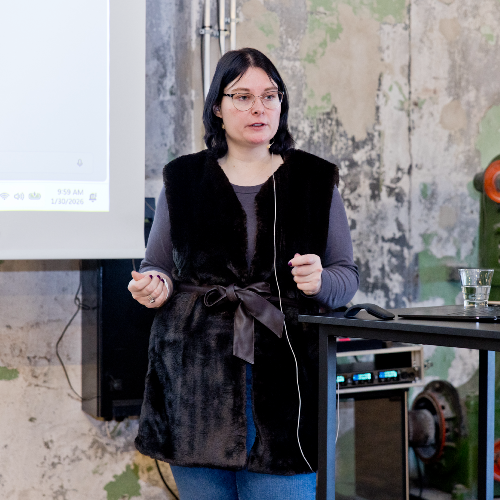
Edine Olijve is a Microsoft MVP recognized for her work with Microsoft 365 Copilot and Microsoft Loop. As a Modern Work Consultant she helps organizations adopt AI responsibly through governance, user readiness, and secure collaboration
AI is here to stay. But can you say your organization is truly in control of it? As Microsoft Copilot becomes part of everyday work, IT administrators face the challenge of keeping AI use secure, compliant, and well-governed. This session explores how to take control by building a strong foundation in Microsoft 365 using Microsoft Purview Data Security Posture Management for AI. Learn how to identify risks, strengthen your data protection strategy, and ensure Copilot operates safely within your organization. Key takeaways: Understand how AI-apps impact your Microsoft 365 data security Learn how Microsoft Purview helps monitor and reduce AI-related data risks Discover best practices to prepare, govern, and maintain a secure Copilot environment Gain practical guidance for enforcing responsible AI use in your tenant Designed for IT administrators, security and compliance specialists, and Microsoft 365 architects responsible for implementing and managing Copilot and Purview in enterprise environments.
Read moreLooking for a smarter, more flexible way to collaborate? Microsoft Loop is more than just a new app. It’s a game-changer for how teams think, plan, and work together. In this session, you’ll discover how to use Loop workspaces, Pages, and Notebooks to bring structure to chaos, keep everyone aligned, and move faster as a team. Attending will teach you how to: Turn scattered thoughts into useable Copilot Pages Use Loop workspaces to collaborate with your Team What the new kid on the block, Copilot Notebooks are all about. Collaborate across Teams, Outlook, and another M365 apps without having to write things twice.
Read moreMicrosoft Loop brings a flexible new way of working in Microsoft 365, with workspaces, pages, and components that move across Teams, Outlook, and more. But how do you manage it all? Discover how to take full control of Microsoft Loop in your organization. In this session, we’ll unpack the governance and administration capabilities that keep your environment secure and compliant. Learn how Copilot Pages are stored and protected, how Loop workspaces behave with and without Microsoft 365 Groups, and what truly happens under the hood when users share Loop components across apps and services. You’ll leave with the technical insights needed to manage Loop with confidence and ensure collaboration stays both productive and compliant. What will you learn by attending my session? Understand how Microsoft Loop stores and secures Copilot Pages and components Learn the governance differences between standalone and group-connected Loop workspaces Gain clarity on sharing behaviors, permissions, and compliance implications Explore best practices for managing Loop within existing Microsoft 365 governance frameworks If you're responsible for compliance, data protection, or tenant governance, this session will give you practical insights into how Loop fits into your existing setup and how to stay in control as adoption grows.
Read moreThe SharePoint Knowledge Agent brings built-in intelligence to your sites and document libraries. It automatically suggests and fills metadata columns with AI-extracted values, updates them as content changes, and writes data directly to your content types. You’ll learn how to use natural language to create rules that automate notifications or file actions, build custom views, and ask targeted questions to find exactly what you need. At the site level, the agent helps you find broken links, uncover search gaps where users can’t find content, flag inactive pages, and generate new pages with Copilot. We’ll cover how this agent improves content lifecycle management, compliance, and Copilot grounding across Microsoft 365. Key takeaways: Use Copilot to extract and maintain metadata for better governance and search. Automate simple site and library actions without Power Automate. Keep SharePoint sites healthy, current, and ready with Copilot.
Read moreMany organisations have a SharePoint intranet, but not everyone uses it. That is often because it is hard to find the right information or it feels like just another place to search. And with Copilot and AI agents on the rise, having a SharePoint intranet just makes sense. In this session, you will learn how to turn your intranet into a helpful and smart platform using SharePoint, Viva Engage and Microsoft 365 Copilot. I will show you how Viva Engage helps with clear communication and connection across teams. You will see how the Knowledge Agent can bring structure to your content and how Copilot and SharePoint Agents can make your intranet easier to use. By showcasing practical examples, like using Copilot-powered web parts to answer questions about policies or projects, and SharePoint Agents that help users find what they need without needing to ask a colleague. You will also learn how to set up your content so that Copilot understands it and gives useful answers. This session is for IT admins and decision makers who want to improve the way people use the intranet. You will leave with practical tips on setup, permissions, and content quality to make your intranet more helpful and more used. What you will learn: How to combine SharePoint, Viva Engage and Copilot in your intranet How to use SharePoint Agents in your intranet Make content easier to find and manage with the Knowledge Agent How Copilot powered webparts can help users find and understand information What you need to prepare to get the best results from AI
Read moreEdine can deliver sessions in
Edine speaks about
Connect with Edine